
Unlock the Future of Work with Microsoft Copilot
An AI Assistant that makes work faster, smarter, and more organized
Experience a smarter, faster, and more organized way to work with Microsoft Copilot—your intelligent assistant, seamlessly integrated into the tools you use every day: Word, Excel, Teams, Outlook, PowerPoint, and more within Microsoft 365.
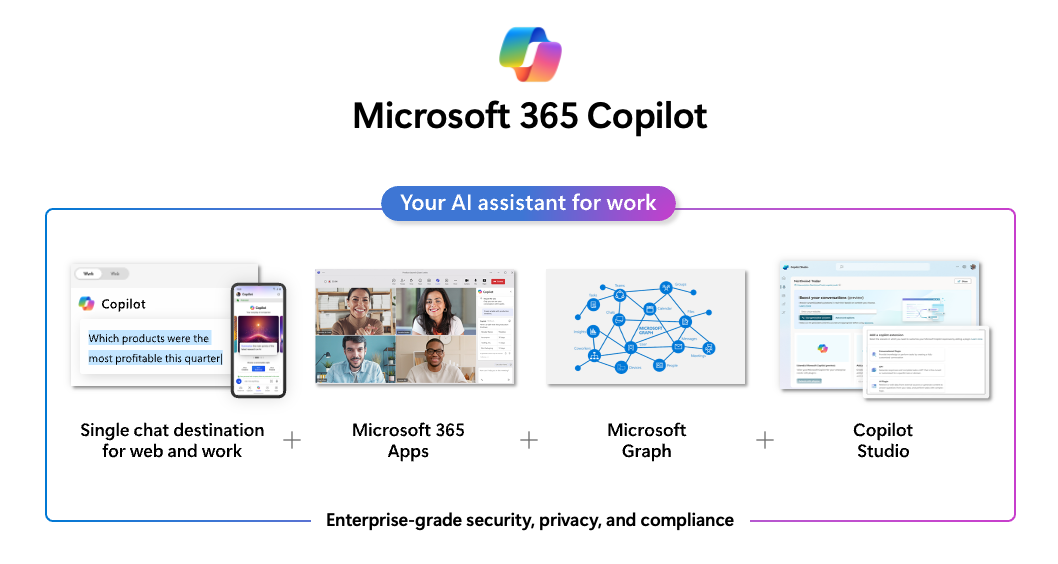
Discover the Copilot Product Family

Copilot Chat
Free to Use!
AI chat assistant that understands both Thai and English, ready to answer questions, analyze data, and spark new ideas.
Available at no extra cost for Microsoft 365 license holders.
Copilot for Microsoft365
Requires Additional License
AI assistant embedded directly in your everyday Microsoft 365 apps—Word, Excel, PowerPoint, Outlook, Teams, and more.

Copilot Studio
Requires Additional License
The ultimate platform for organizations that want to build custom AI agents, connect to multiple data sources, and design tailored workflows.
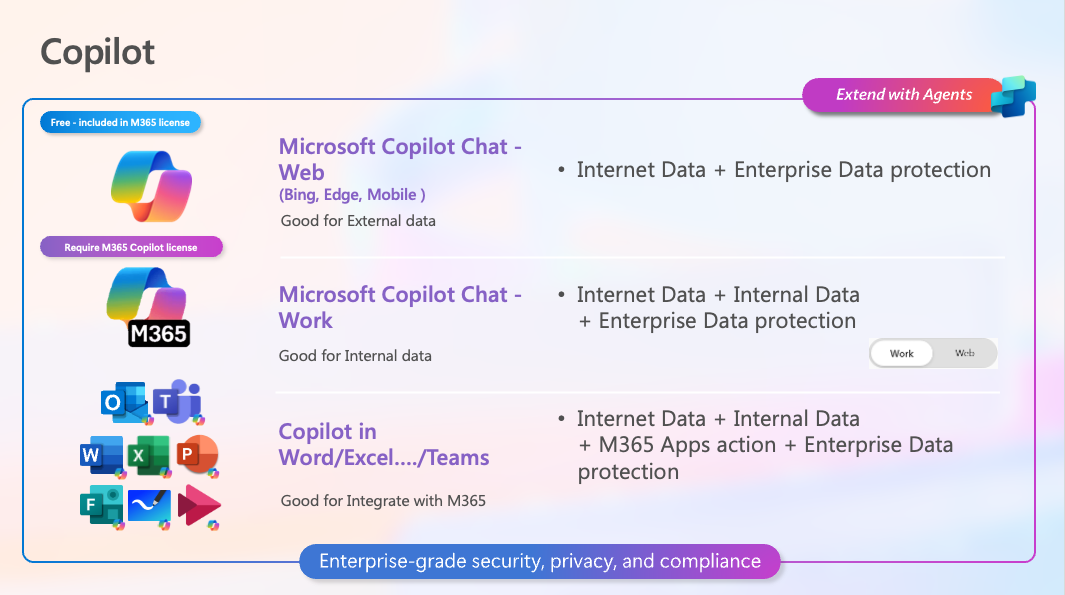
Copilot Chat
is an AI-powered chat assistant designed to answer your questions, analyze data, and provide insightful real-time recommendations—helping you work smarter and faster. You can get started with Copilot Chat easily through three convenient channels.
How to Get Started ?
If you have a Microsoft 365 account, you can access Copilot Chat for free. Simply log in with your corporate email to get started—no extra steps required! Best of all, your data stays safe and secure, and is never used to train the AI. AI
Note : Copilot Chat allows you to create your own Agent for free. However, sharing your Agent with others is not currently supported, and there are some limitations regarding data source selection.
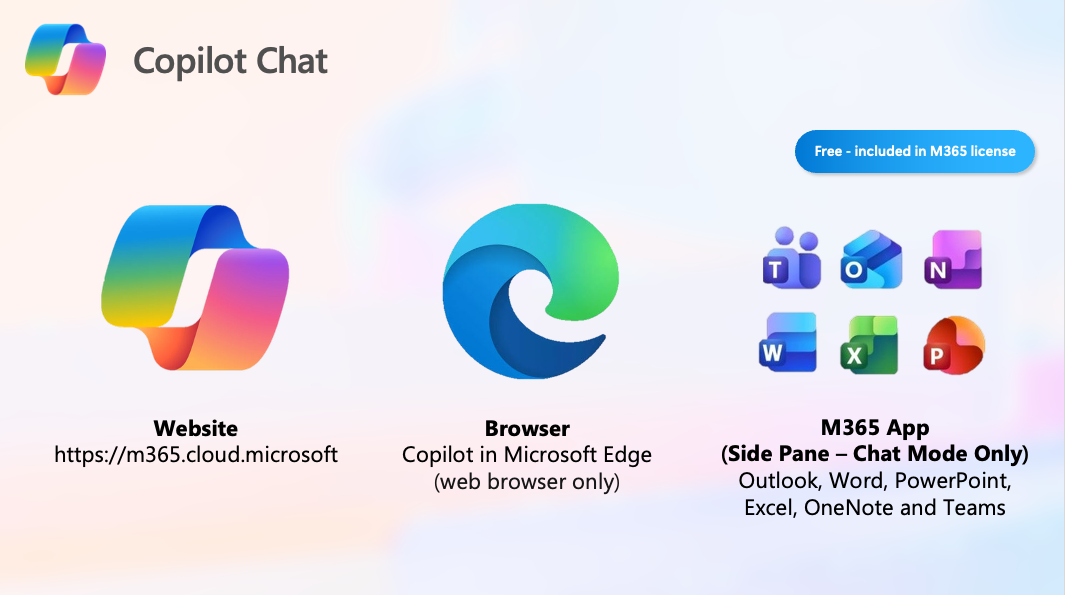
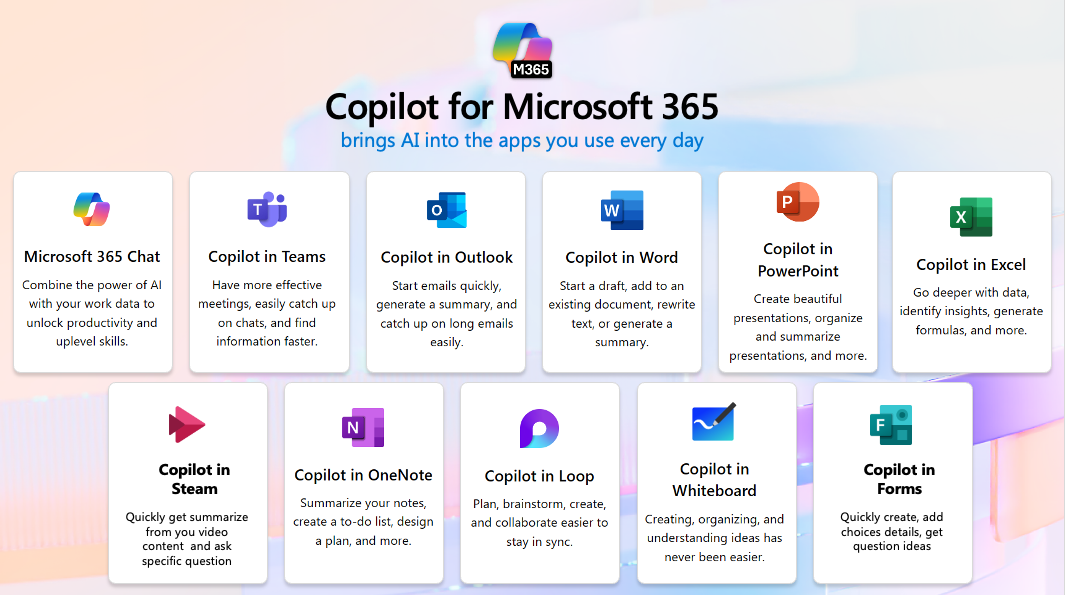
Copilot for Microsoft 365
is an advanced AI assistant seamlessly integrated into your favorite Microsoft 365 applications—including Word, Excel, PowerPoint, Outlook, Teams, Stream, OneNote, Loop, Whiteboard, and Forms. It empowers you to effortlessly create documents, analyze data, build engaging presentations, and manage emails and more, helping you work smarter and accomplish more with ease.
How is Copilot for Microsoft 365 Superior to Copilot Chat?
Beyond offering an integrated AI Assistant directly inside your Microsoft 365 applications, Copilot for Microsoft 365 brings a powerful AI chat assistant that connects with your organization’s files across a variety of sources—including people, emails, chats, documents, meetings, channels, and sites. This means you can harness AI to work across all your key information seamlessly and securely. Most importantly, your data is always protected—it never leaves your organization and is never used to train external AI models.
Who Is Copilot for Microsoft 365 Designed For?
Copilot for Microsoft 365 unlocks powerful productivity for everyone in your organization who relies on Microsoft 365 in their daily workflow. Whether you’re drafting documents, analyzing data, or collaborating with your team, Copilot streamlines your work—boosting efficiency and helping you save up to 60–80% of your time.
Note: With Copilot for Microsoft 365, you can create your own AI agents for free and share them with others. Please note there are some limitations when it comes to selecting data sources.
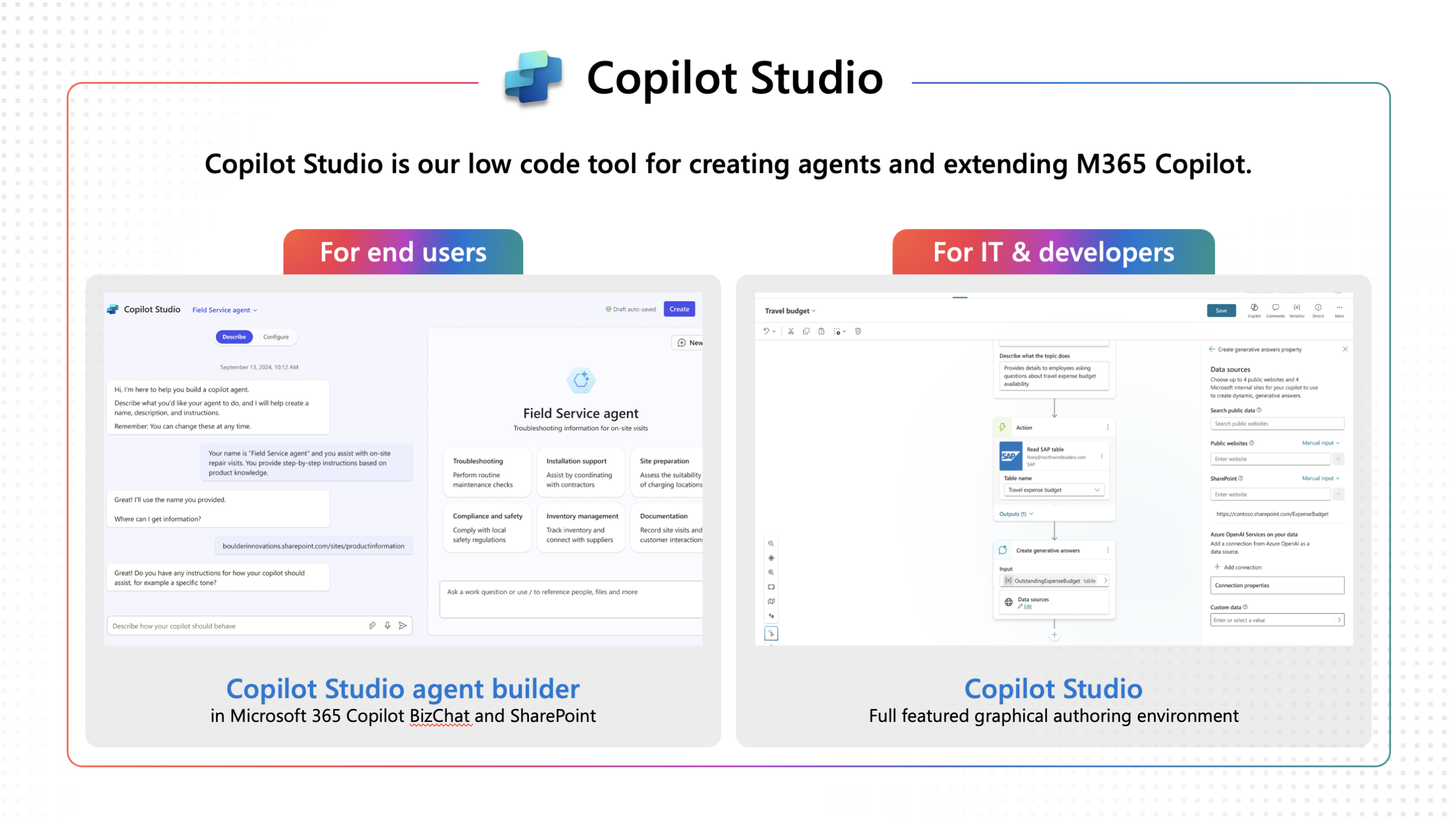
Copilot Studio
is an innovative platform designed for building and customizing your own AI agents. With Copilot Studio, you can seamlessly integrate with your internal systems and effortlessly create specialized plugins and workflows tailored to your unique business needs. Unlock the full potential of AI to streamline processes and elevate your organization’s productivity.
Who Is Copilot Studio Perfect For?
Copilot Studio is the ideal solution for organizations that want a highly specialized AI assistant—far beyond basic chat capabilities. If your business needs to connect with complex databases, automate workflows, or seamlessly integrate with the Power Platform to extend your existing processes, Copilot Studio is designed for you. Unleash the power of tailored AI to drive innovation and transform the way your team works.
PRICING
Microsoft 365 Copilot Business
Boost employee productivity, simplify workflows, and drive measurable value across your organization with AI
USD$21.00
per user/month, billed annually
Includes everything in Microsoft 365 Copilot Chat, plus:
- AI-powered chat with Work IQ insights
- Copilot across apps like Teams, Outlook, Word, PowerPoint, and Excel
- Build and use agents with Copilot Studio
- Seamless integration with your existing Microsoft 365 business plans
Popular apps and services included:

Microsoft 365 Copilot
Boost employee productivity, simplify workflows, and drive measurable value across your organization with AI
USD$30.00
per user/month, billed annually
Includes everything in Microsoft 365 Copilot Chat, plus:
- Context-aware AI support powered by Work IQ
- Copilot integrated with Word, Excel, PowerPoint, Outlook, and Teams
- Build and use agents with Copilot Studio
- Seamless integration with your existing Microsoft 365 plans
Popular apps and services included:
Microsoft 365 Copilot
มีการเข้าถึง Copilot Studio สำหรับสิทธิการใช้งานทั้งหมด ซึ่งเหมาะสำหรับการเสริมศักยภาพให้พนักงานสามารถสร้างและใช้เอเจนต์ภายในองค์กรได้
USD$30.00
per user/month, billed annually
- Build internal agents within Microsoft 365
- Access Copilot Studio at no additional cost
- Create and use agents for internal workflows without usage limits
You can start experiencing the power of Copilot right away with your existing Microsoft 365 subscription.
Not sure where to begin? The Metro Systems team is ready to guide you every step of the way. Click here to get in touch, schedule a personalized demo, and unlock exclusive promotions just for you!
Why Choose Copilot with Metro Systems?
As a Microsoft Solutions Partner Metro Systems is more than just a “ License ” distributor. We are your dedicated Tech Transformation Partner , equipped with deep expertise and years of experience in all things Microsoft. Our reputation is backed by leading customers across Thailand who trust us to manage their entire Microsoft Ecosystem end-to-end.
- Expert Consultation —Get personalized recommendations from our team of specialists to match the perfect plan to your business.
- Comprehensive after-sales support—from setup and training to ongoing care throughout your usage journey.
- Access to Microsoft training centers for hands-on learning and skill development.
- Get 1-on-1 access to Microsoft programs Subject to Microsoft terms and conditions
- Special promotions and exclusive offers designed just for business customers.
- Guaranteed security and genuine licensing—rest assured your investment is protected.
- Be the first to hear about tech updates and new trends through our seminars, workshops, and webinars.

Trusted by Metro Systems
Your Expert Copilot Partner— Supported by certified Copilot Specialists, trained and accredited directly by Microsoft.
- In-depth Microsoft certified training
- Personalized guidance tailored for your organization—far beyond a standard demo
- Custom-designed use cases to perfectly suit your team's workflow
- Guaranteed security, data privacy, and compliance every step of the way
Get Started with Copilot — the right way, with dedicated experts supporting you from day one.
Let Metro Systems help you elevate your entire organization's productivity with Copilot.